

Transform Your WordPress Site with WPFilters
Ever looked at the search filters on Amazon or Airbnb and wished you could make the content on your wordpress website just as easily discoverable?
Introducing WPFilters: A Game-Changer for WordPress
Imagine if your visitors could simply click a few options in the search filter, like “Price: Low to High,” “Rating: 4 Stars,” or “Color: Blue”… and instantly, the perfect results appear.
Sadly, most filtering tools on the market are either frustratingly complicated, require hiring a developer to set up, or are strictly limited to WooCommerce stores. It simply shouldn’t be this hard to help your visitors find the content they are looking for.
That’s why today, I’m excited to share the launch of WPFilters, a game-changing plugin that makes adding “Amazon-style” faceted search to wordpress completely seamless.
We built this tool to help you stop losing visitors who can’t find what they need. Whether you have a blog, an eCommerce store, or a directory, WPFilters allows your users to filter posts, products, and custom content by categories, tags, custom fields, and more.
Background Story – Why WPFilters?
A few years ago, we acquired SearchWP to fix the broken default wordpress search. Today, it helps over 50,000 site owners show the right results to their audience.
As the community grows, we quickly noticed a consistent pattern in the feedback.
While the search bar was now finding all the right content, our users wanted a way to help their site visitors narrow down those results.
WPFilters delivers a seamless experience. Here’s the overview of WPFilters:
What is WPFilters?
WPFilters is a powerful wordpress filtering plugin that allows you to create advanced search filters for your website without writing complex code. In the developer world, this is known as “faceted search.”
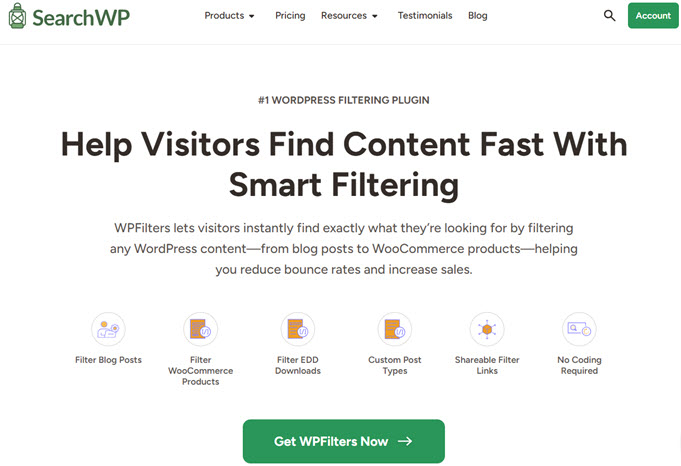
WPFilters lets you build custom filter sets based on categories, tags, or custom data, and place them anywhere on your site. This allows your visitors to drill down through your content to find exactly what they need in seconds.
Create “Amazon-Style” Filters with Multiple Input Types
Major sites like Amazon or Airbnb make it easy to use filtering options to discover the right results.
They use radio buttons for single-choice selections, checkboxes for multiple-choice selections, and visual sliders for price ranges.
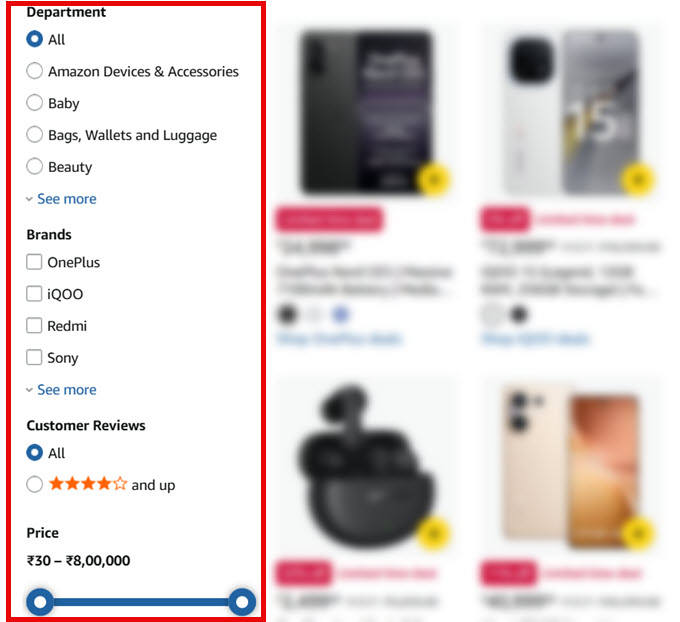
This is exactly the experience WPFilters brings to your site. For instance, your visitors can refine their searches with multiple criteria like “Vegan” recipes “Under 30 Minutes” that have a “5-Star Rating.”
Filter by Anything – Categories, Tags, Custom Fields & More
Your wordpress site is full of valuable data, but most of it is hidden from your visitors. WPFilters unlocks all that data and turns it into clickable filters. You aren’t limited to just standard categories; if the data exists in wordpress, you can filter by it.
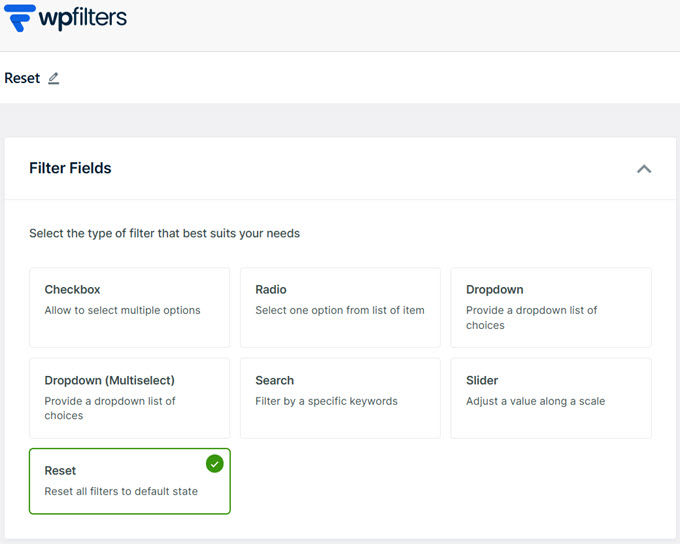
- Checkboxes: Allow users to select multiple options at once (great for categories or tags).
- Radio Buttons: Ideal for when you want users to make a single, exclusive choice.
- Dropdowns (Single & Multi-Select): Save screen space while offering powerful sorting options.
- Range Sliders: A visual way to filter numeric data like price, weight, or size.
- Search Bar: Let users filter the results list by specific keywords.
- Reset Button: A one-click way for users to clear all filters and start fresh.
Display Filters Anywhere with Flexible Embedding Options
Every wordpress site is built differently. We built WPFilters to fit seamlessly into your existing workflow, no matter how your site is set up.
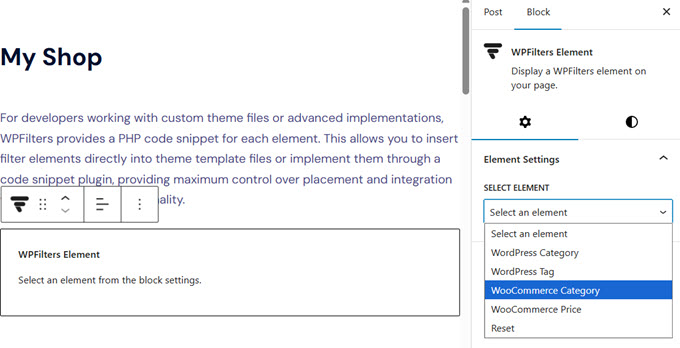
You can use the WordPress Block Editor or page builders like SeedProd. For developers, WPFilters also provides PHP snippets for template files.
Smart Control Over User Experience (UX)
If a filter list is too long or shows options that have no results, it can frustrate your visitors. WPFilters comes with several smart controls to ensure your filters look clean and professional.
- Collapsible Sections: useful for managing long lists of filters.
- Item Counts: Automatically display the number of results next to each filter option (e.g., “Marketing (12)”).
- Hide Empty Options: choose to hide options that have zero results.
- “See More” Links: Keep your sidebars tidy.
- Horizontal Layouts: Display checkboxes or buttons side-by-side.
Conclusion
WPFilters is built by the same team behind SearchWP, the leading search plugin trusted by thousands of wordpress website owners. It provides a comprehensive, enterprise-grade search experience for your wordpress site, combining relevance and usability efficiently.
Our goal is to make WPFilters the best filtering solution for wordpress, and we welcome any ideas on new filter types, integrations, or features. We are listening and look forward to serving you for years to come.
Frequently Asked Questions
1. What is WPFilters?
WPFilters is a wordpress plugin that enables website owners to create advanced search filters without complex coding, enhancing the site’s search functionality significantly.
2. Who can benefit from using WPFilters?
Blog owners, eCommerce stores, and directories that aim to improve user experience and searchability of their wordpress sites will find WPFilters invaluable.
3. How does WPFilters improve user experience?
WPFilters improves user experience by providing intuitive and flexible filtering options, allowing users to find what they need quickly and easily.
4. Is WPFilters easy to integrate with different wordpress setups?
Yes, WPFilters can be seamlessly integrated with the WordPress Block Editor, SeedProd, Divi, and even with customized theme setups.
5. Can WPFilters be used with SearchWP?
Absolutely, WPFilters is designed to be a perfect companion to SearchWP, enhancing both searchability and UI experience on your wordpress site.



0 Comments