
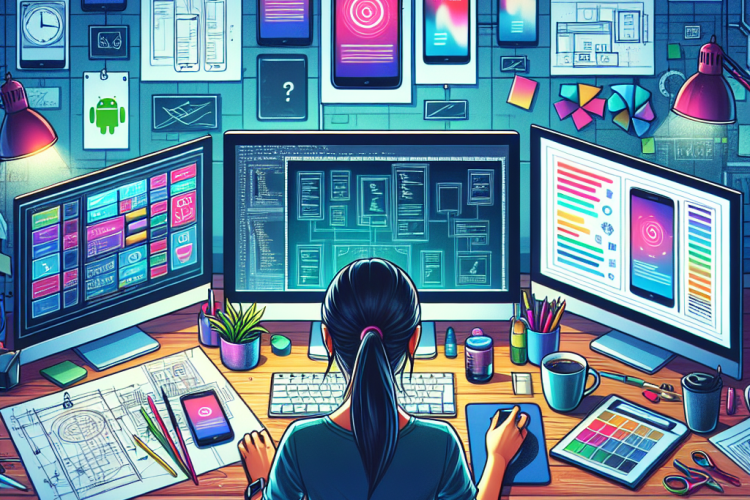
In today’s digital world, apps have become an integral part of our lives. From managing our schedules to controlling smart home devices, applications facilitate endless possibilities. But what goes on behind the screens? How does an Android app designer spend a typical day creating these indispensable tools? Let’s delve into the world of app design through the eyes of an Android app designer.
Morning Routine
The day of an Android app designer often begins with a review of the current projects. Most designers start their mornings by going through emails and checking updates on ongoing projects. This is a crucial part of the day, as it sets the tone and priorities for what needs to be accomplished.
Many designers subscribe to tech blogs and forums to keep themselves updated on the latest trends and updates in the Android ecosystem. This information can be vital in ensuring that their apps are compliant with the latest Android versions and design guidelines.
Right after sipping some freshly brewed coffee, an Android app designer typically tackles the most challenging tasks first. These could range from solving complex UI issues to brainstorming new features. The morning hours are often when designers are most creative and focused, making it the ideal time for challenging tasks.
Collaboration and Meetings
Collaboration is key in app development. An Android app designer often works closely with developers, project managers, UX designers, and sometimes marketing teams to ensure the app meets user needs and business goals.
Daily stand-up meetings are a common occurrence, usually held in a quick, informal setting. These meetings allow teams to quickly update each other on progress, discuss any obstacles, and align on priorities. An app designer contributes by sharing design updates, new ideas, and any changes from feedback.
Communication tools such as Slack, Zoom, or Microsoft Teams facilitate these interactions, especially with remote work becoming more prevalent. Prototypes, mockups, and progress boards are shared through platforms like Figma or Adobe XD, providing a visual aid for team discussions.
Design and Prototyping
A significant portion of an Android app designer’s day is dedicated to design and prototyping. Using tools such as Sketch, Adobe XD, or Figma, a designer creates wireframes and visual mockups. The early stages of design focus heavily on user experience (UX). The goal is to create intuitive and accessible navigation flows that guide the user seamlessly through the app’s functionalities.
Creating prototypes is another essential task. Interactive prototypes allow stakeholders to visualize the app and its features before it’s fully developed, which helps in capturing feedback early. Prototypes are often tested through user studies to gather real-world insights on usability and user engagement.
Iteration is key; designs are rarely ever perfect on the first try. Feedback loops, whether through A/B testing or direct user feedback, guide the refinement process so the end product meets user expectations and fulfills its intended purpose effectively.
Code Collaboration and Review
While a designer primarily focuses on the look and feel of an application, understanding how Android apps are built is crucial. Knowledge of languages like Java or Kotlin is beneficial, as is familiarity with IDEs like Android Studio.
Designers often collaborate with developers to ensure the design is feasible and can be translated into a functional app. This process involves reviewing code snippets, checking the integration of visual assets, and ensuring UI elements are correctly implemented per design specifications.
Code reviews are an integral part of collaborative effort. Designers and developers discuss potential issues, performance considerations, and possible improvements. This collaborative approach ensures the app runs efficiently and consistently provides a great user experience.
Afternoon Workflow
The afternoon hours are typically spent refining designs and addressing feedback from various team members or user tests. This process often involves tweaking small design components, adjusting color schemes, and ensuring alignment with Android Design Guidelines.
It’s also common for designers to get involved in analyzing user patterns and feedback. Data analytics tools, like Google Analytics, help app designers understand how users are interacting with the application, which features they’re using most, and where they might be facing difficulties.
For many designers, afternoons are also a time to experiment with new ideas. Whether trying out a new tool, exploring a different UX pattern, or researching competitor applications, this experimentation helps in innovating and staying ahead in the competitive app market.
Evening Wrap Up
As the day winds down, an Android app designer typically checks off completed tasks and reviews the day’s progress. This is a moment to ensure all feedback is documented and that any new insights or ideas are recorded for future reference.
Evening hours are also a time for professional development and self-improvement. Some designers use this period to take online courses, view tutorials, or even read books related to app design and development.
Staying at the cutting-edge of technology is crucial in an ever-evolving field. Many designers set aside time to explore new design paradigms or familiarize themselves with the latest updates in Android, setting themselves up for success in future projects.
Conclusion
The life of an Android app designer is dynamic and multifaceted. From early morning meetings aimed at aligning with the team to evening personal development sessions, every part of the day is designed to enhance creativity, productivity, and skill.
The role goes beyond mere visual design; it bridges the gap between user needs and technological possibilities. By collaborating closely with developers, understanding user feedback, and constantly exploring new design trends, Android app designers play a crucial role in shaping the digital tools that users increasingly rely on in their daily lives.
The journey behind the screens is rich with creativity, collaboration, and continuous learning. It’s a testament to the ever-evolving nature of technology, where every day presents a fresh challenge and an opportunity to innovate.



0 Comments