
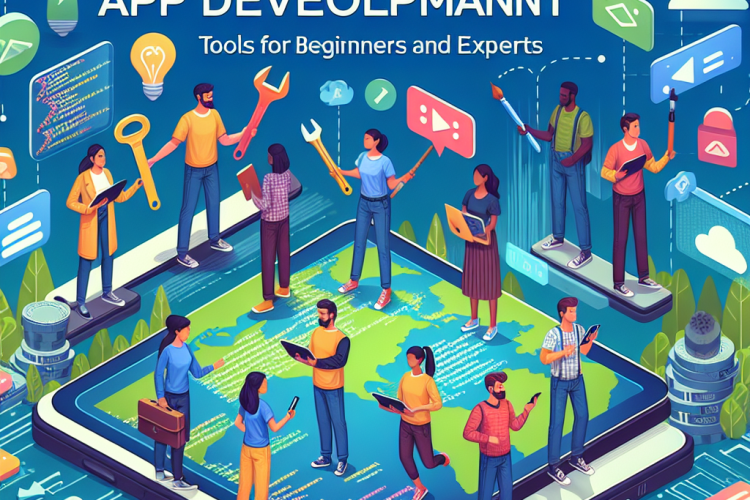
The app development industry is a dynamic and rapidly evolving field that offers opportunities for both beginners and seasoned experts. Distinguished by a vast array of tools and technologies, developing apps today is more accessible yet more complex than ever. Whether you are just stepping into the world of app development or are looking to enhance your skills, knowing and understanding the available tools is crucial for success.
Understanding the Basics
Before diving into specific tools, it’s essential to understand the core aspects of app development. At its foundation, app development involves designing, building, and deploying applications to meet user needs. This process generally includes several stages: ideation, design, development, testing, and deployment. While beginners can start learning with simple applications, experts often deal with complex systems that require robust architecture and scalability considerations.
Tools for Beginners
For those who are new to app development, having access to intuitive and user-friendly tools is key. Here are some of the best options:
1. MIT App Inventor
MIT App Inventor enables novices to create simple mobile applications without extensive programming knowledge. Its graphical interface allows users to drag and drop elements to build apps, making it an excellent starting point for understanding the logic behind app development.
2. Thunkable
Similar to MIT App Inventor, Thunkable provides a no-code solution that lets beginners create apps using a visual interface. It’s particularly strong in prototyping and experimenting, letting users explore app functionalities quickly and effectively.
3. Flutter
Google’s Flutter is a powerful UI toolkit that helps beginners develop natively compiled applications for mobile, web, and desktop from a single codebase. Starting with Flutter is relatively easy, thanks to its extensive documentation and supportive community.
Intermediate Tools for Aspiring Developers
As developers grow their skills, they may need more advanced tools that offer flexibility and greater control over app functionality.
1. React Native
React Native, developed by Facebook, is a popular framework for building mobile applications using JavaScript. It allows developers to write code that works on both iOS and Android, thereby reducing development time and complexity.
2. Xamarin
Xamarin extends the .NET platform with tools and libraries for building apps on Android, iOS, tvOS, watchOS, macOS, and Windows. Intermediate developers can use C# across all platforms to achieve native performance and user experience.
3. Ionic
Ionic is a complete open-source SDK for hybrid mobile app development. Built on Angular, you can use Ionic to create a consistent user interface across various platforms. Its ability to facilitate progressive web apps makes it a popular choice among intermediate developers.
Advanced Tools for Experts
Experienced developers need robust, scalable, and flexible tools to handle complex app development tasks. Here are some expert-level options:
1. Android Studio
As the official Integrated Development Environment (IDE) for Google’s Android OS, Android Studio is versatile and feature-rich. It provides advanced code editing, performance tooling, and an integrated emulator that experts use to handle more complex applications.
2. Xcode
Xcode provides developers with a comprehensive suite to create apps for Apple’s ecosystem—iOS, macOS, watchOS, and tvOS. Its advanced features include code refactoring, project-wide search and replace, and even metal framework integration for graphics.
3. Unity
Known for game development, Unity is a cross-platform game engine that now extends beyond gaming into mobile app development. Its support for complex graphics and physics engine is indispensable for creating high-performance applications.
Selecting the Right Tools
When choosing the right app development tools, factors such as project requirements, budget, team size, target platforms, and expertise level should be considered. Beginners might prioritize tools with learning resources and community support, while experts might focus on performance optimization and cross-platform capabilities.
The Development Lifecycle
Regardless of experience level, adopting a structured development lifecycle helps ensure project success. From requirement gathering and prototyping to deployment and maintenance, every phase has overarching tools and methodologies that supplement each stage effectively.
Community and Continuous Learning
App development is not static, and keeping up-to-date with the latest trends and advancements is critical. Engaging with developer communities, attending workshops and webinars, and leveraging online resources are excellent ways to continue learning and growing in the field.
Conclusion
Navigating the app development landscape can be both challenging and rewarding. By understanding the array of available tools and selecting ones that match your current skill level, developers can create innovative and functional apps. As technology continues to evolve, the need for continuous learning and adaptation remains an essential part of a successful developer’s journey. Whether you are a beginner eager to learn or a seasoned expert pushing boundaries, embracing both the foundational and advanced tools will pave the way for success in the ever-evolving world of app development.


0 Comments