
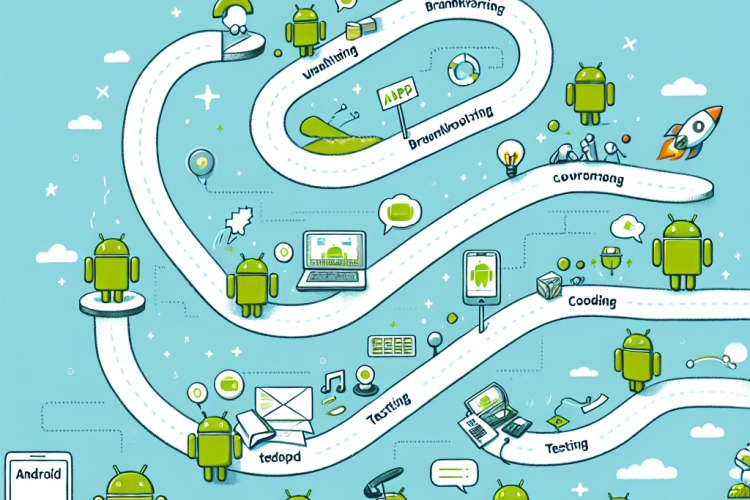
In today’s digital age, having a mobile application is essential for businesses and individuals looking to reach a wider audience.
This guide will take you through the journey of transforming your app idea into a fully functioning Android app, from initial concept
to launch. Whether you’re a seasoned developer or a newcomer, these steps will help you navigate the complexities of Android app development.
Step 1: Ideation and Research
Begin by defining your app’s purpose and target audience. Conduct market research to analyze competitors and identify
opportunities for differentiation. Validate your idea through surveys or interviews to ensure there’s a demand for your app.
Understanding the Market
Utilize tools like Google Trends and AppBrain to explore current trends. Examine user reviews on similar apps to gain
insights into what users like and dislike. This information will guide your app’s unique features.
Defining Features
Prioritize basic features that address the core problem your app aims to solve. Create a wishlist for additional features
that can be added in future updates, depending on user feedback and success metrics.
Step 2: Planning
Craft a detailed plan that outlines the development process, timeline, and budget. Consider the technical requirements
and resources needed.
Wireframing and Prototyping
Use tools like Adobe XD or Figma to create wireframes of your app’s user interface (UI). Develop a prototype to demonstrate
app flow and functionality. This step is critical for visualizing the user experience.
Choosing the Right Development Approach
Decide between native development, cross-platform development, or using app builders based on your app’s complexity,
budget, and time constraints. Native apps may offer better performance, whereas cross-platform solutions can save time
and cost.
Step 3: Design and Development
Focus on both the frontend and backend aspects of your Android app. Ensure the app’s design is intuitive and aligns with
Android’s design guidelines.
Designing an Engaging UI/UX
Keep the design clean and user-friendly, with an emphasis on accessibility. Follow the Material Design principles to
ensure consistency across Android devices. Pay attention to color schemes, typography, and spacing.
Starting Development
Set up your development environment using Android Studio. Familiarize yourself with Kotlin or Java, the primary programming
languages for Android. Use version control systems like Git to manage your codebase effectively.
Backend and APIs
Develop the backend services to handle data management, user authentication, and server-side logic. Choose cloud
solutions like Firebase or AWS to support your app’s backend infrastructure.
Step 4: Testing
Rigorous testing is essential to ensure your app functions correctly across different devices and scenarios.
Types of Testing
Conduct unit tests, integration tests, and user acceptance testing (UAT). Use automated testing tools like Espresso
and Roboelectric to streamline the process.
Beta Testing
Launch a beta version to a select group of users to gather feedback on usability and functionality. This step is crucial
for identifying issues that you might have missed during the initial tests.
Step 5: Launch
Once your app is thoroughly tested and ready, it’s time to prepare for launch.
Publishing on Google Play Store
Ensure your app complies with Google Play Store guidelines. Create an appealing app listing with a detailed description,
high-quality screenshots, and an engaging video preview. Set a pricing strategy that aligns with your business model.
Marketing and Promotion
Use digital marketing strategies such as SEO, social media marketing, and paid ads to increase visibility. Engage with
potential users through content marketing and targeted advertising campaigns.
Step 6: Post-Launch Activities
The journey doesn’t end at launch; continuous improvement and user engagement are vital for success.
Collecting Feedback
Encourage users to rate and review your app. Use feedback to make necessary updates and add features that users want.
Be responsive to user queries and issues.
Monitoring Performance
Use analytics tools to monitor app performance and user behavior. Track key metrics like downloads, active users,
and retention rates to measure your app’s success.
Regular Updates
Keep your app updated with the latest security patches and feature improvements. Regular updates help maintain user
interest and ensure the app remains relevant in a competitive market.
Developing an Android app from idea to launch is a complex yet rewarding process. By following these steps, you can
create an app that not only meets user expectations but also stands out in the crowded app marketplace. Remember that
development is an ongoing journey, and continuous improvement is key to sustaining success. Embrace feedback, stay
updated with technological advancements, and never stop innovating.


0 Comments