
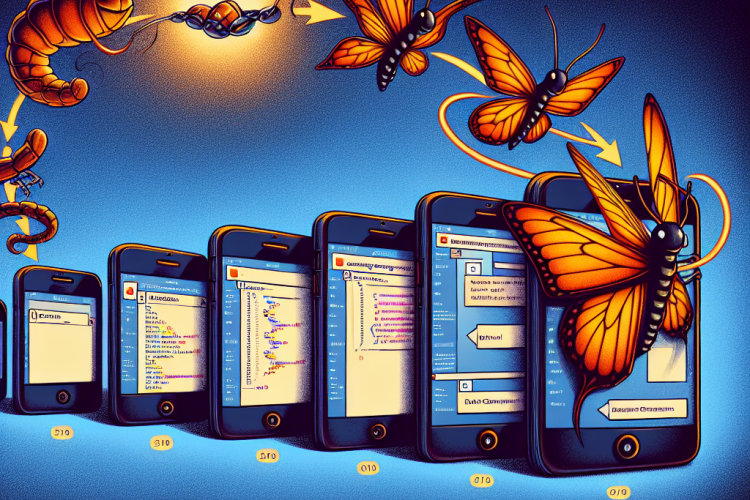
The transition from a web application to a mobile app is a pathway many developers are pursuing, driven by the ubiquitous presence of mobile devices in everyday life. As the powerful web framework Django has enabled the rapid development of robust web applications, developers are exploring ways to extend these applications to mobile platforms. This guide aims to illuminate the steps and strategies necessary for converting a Django web application into a mobile app, ensuring a seamless user experience and broadening the app’s reach.
Understanding the Foundation: Django and Its Benefits
Django is a high-level Python web framework that encourages rapid development and clean, pragmatic design. It is renowned for its simplicity, scalability, and ease of use. Some core benefits of using Django include a built-in admin interface, an effective ORM (Object-Relational Mapping) system, and a vast library of third-party applications, which help in reducing development time.
In a world where updates and security issues are rampant, Django provides solid protection against many pitfalls such as SQL injection, cross-site scripting, and cross-site request forgery through its well-designed security features. This makes Django an ideal choice for developing web applications that are not only efficient but also secure.
Preliminary Steps Before Conversion
Before diving into mobile conversion, there are several preparatory steps necessary to ensure a smooth transition. First, a thorough audit of the existing Django project is crucial. This audit involves identifying the core features that users will need on a mobile platform, optimizing database queries, and ensuring that the codebase is maintainable.
Another important step is the assessment of the existing user base and their mobile usage patterns. This will aid in prioritizing features that users are likely to engage with on their mobile devices. Moreover, choosing between a mobile app that fully replicates the web version or one that includes selective features depends heavily on user needs and business goals.
Key Conversion Strategies
Choosing Between a Native App and a Hybrid App
The first decision in mobile app development is selecting between a native or hybrid application. Native apps are developed for a specific platform (iOS and Android) using languages such as Swift or Java but top native performance. Hybrid apps, on the other hand, encompass web technologies like HTML5, CSS, and JavaScript, often wrapped into a native layer using tools like React Native or Flutter, providing flexibility and reduced development time.
When converting a Django app, a hybrid approach can be more advantageous due to the web-based nature of Django applications. Leveraging frameworks such as React Native or integrating Django with Ionic can speed up the transition process while ensuring a consistent user interface across different platforms.
Developing RESTful APIs with Django Rest Framework
To facilitate communication between the Django backend and the mobile frontend, creating RESTful APIs is paramount. The Django Rest Framework (DRF) is an effective toolkit for building Web APIs with Django. DRF provides powerful features such as authentication, serialization, and query parameter parsing, making it easier to expose data endpoints and manage interactions between the mobile app and your Django application.
Start by serializing your Django models using DRF serializers. These serializers define the API’s response format and allow easy customization of the output. Once serialized, these resources can be exposed through API views that handle HTTP requests and responses efficiently.
Optimizing Performance for Mobile Devices
Mobile applications require specific considerations regarding performance due to restricted processing power and connectivity issues compared to desktops. One must ensure that API requests are lean and intentional. This includes reducing the payload size of the API responses, minimizing database hits through effective caching strategies, and employing pagination wherever applicable.
Furthermore, client-side optimizations such as lazy-loading of resources and utilizing offline caching strategies through service workers can enhance the user experience significantly. Exploring solutions like PWA (Progressive Web Apps) can also allow mobile website features, such as offline access and push notifications, to bolster the mobile presence without developing a fully native app.
Building the Mobile Interface
Building the UI and user experience for a mobile app varies from a web application. On mobile devices, screen real estate is limited, touch interactions are the primary mode of user input, and UI elements should be compatible with mobile OS design guidelines (Material Design for Android and Human Interface Guidelines for iOS).
Using a mobile-first approach with responsive design principles involves placing the most critical features prominently, ensuring that the navigation is intuitive and optimizing content for small screens. Tools like React Native offer a component-based approach, allowing developers to easily integrate with Redux for state management, and building efficient, coherent interfaces.
Implementation Challenges and Solutions
Data Synchronization and Connectivity Issues
Mobile apps must handle inconsistent network connectivity gracefully. Strategies to mitigate these issues include offline support, data synchronization whenever network access is available, and clear user notifications regarding their online status.
Implementing a local database through tools like SQLite can allow mobile apps to operate offline effectively. Changes made offline can be queued and synchronized with the server once a connection is re-established, ensuring data consistency across platforms.
Testing and Iteration
Thorough testing is pivotal in the mobile app development process. This involves using emulators for initial testing, followed by testing on actual hardware to capture discrepancies that emulators might miss, such as performance behavior on older devices or differences in touch sensitivity.
Unit testing and integration testing frameworks specific to chosen mobile technologies (such as Jest for React Native) should be employed alongside traditional Django tests to assure the application is robust and free of critical bugs. Regular updates and iterative testing based on user feedback can refine the app further.
Deployment and Maintenance
The deployment phase involves submitting your app to app stores (Google Play Store for Android and Apple App Store for iOS). App store guidelines must be meticulously followed to avoid rejections during the review process.
Maintenance requires continuous handling of user feedback, security updates, and performance optimizations. Monitoring tools specific to mobile apps, such as Firebase Analytics or Sentry, provide insights into app performance, crash reports, and user behavior, guiding future updates. Regular updates not only introduce new features and enhancements but also demonstrate an app’s ongoing improvement to users.
Conclusion
Converting a Django web application into a mobile app involves strategic planning and execution. By choosing between native and hybrid approaches, building robust APIs with Django Rest Framework, and implementing mobile-specific optimizations, developers can effectively translate their web applications into compelling mobile experiences. With careful consideration of user needs, rigorous testing, and consistent updates, a Django app can flourish in the mobile environment, offering users an engaging, dynamic way to interact with content directly on their devices.
As mobile technology continues to evolve, the ability to extend Django’s capabilities to mobile platforms will empower developers to meet the demands of increasingly mobile-centric user bases, bridging the gap between screen and pocket.



0 Comments