
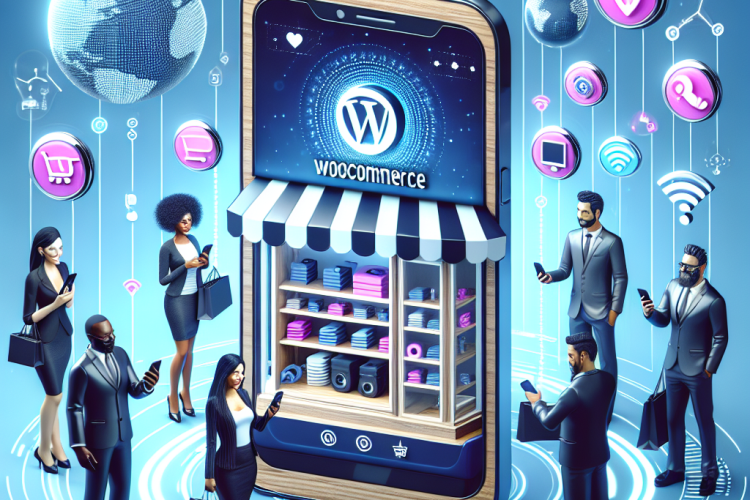
With the rapid rise of smartphones, the way consumers browse and shop online has drastically transformed. Mobile commerce, or m-commerce, has become a significant player in the e-commerce space, with projections indicating that it will continue to grow. For WooCommerce store owners, optimizing their websites for mobile is no longer an option but a necessity. This article outlines key strategies and tips for enhancing your WooCommerce store for smartphones, ensuring your business remains competitive in the mobile era.
The Importance of Mobile Optimization
The shift towards mobile shopping is not merely a trend; it reflects a fundamental change in consumer behavior. According to recent statistics, over 50% of all online shopping is now conducted on mobile devices. Ignoring this shift can result in lost sales and hindered customer satisfaction. A mobile-optimized store can offer several benefits:
- Improved User Experience: A responsive design ensures that users can easily navigate your store, find products, and make purchases without frustration.
- Higher Conversion Rates: By streamlining the shopping process for mobile users, you increase the likelihood of a completed purchase.
- Better SEO Rankings: Search engines like Google prioritize mobile-friendly sites in their rankings, meaning better visibility for your store.
- Enhanced Brand Image: A professional, mobile-friendly website helps establish credibility and trust with customers.
Key Strategies for Mobile Optimization
1. Use a Responsive Design
Responsive web design is crucial for ensuring that your WooCommerce store adapts seamlessly to different screen sizes. Here are some core elements to consider:
- Fluid Grids: This approach uses relative units like percentages instead of fixed units such as pixels. It allows your site layout to resize naturally across devices.
- Flexible Images: Ensure images scale appropriately to fit various screen sizes without losing quality.
- Media Queries: These CSS techniques enable you to apply specific styles based on the device’s characteristics, enhancing the mobile experience.
2. Streamline Navigation
When it comes to mobile devices, navigation is critical. Simplified navigation helps users find what they are looking for quickly. Consider implementing the following:
- Burger Menus: Use a hamburger icon to house your menu items. This saves space and keeps the interface clean.
- Search Functionality: Incorporate a prominent search bar to help users locate specific products easily.
- Sticky Navigation: A sticky header ensures that navigation options remain accessible as users scroll.
3. Optimize Product Pages
Your product pages are crucial for conversions. Mobile users require clearly laid out information to make purchasing decisions. Here’s how to optimize your product pages:
- High-Quality Images: Use high-resolution images that can display well on larger mobile screens. Implement zoom features to allow users to view details.
- Concise Product Descriptions: Craft clear and persuasive descriptions that highlight essential features and benefits.
- CTAs: Place call-to-action buttons prominently and ensure they are easily clickable without zooming in.
4. Simplify the Checkout Process
A complicated checkout process can lead to cart abandonment. To reduce friction, consider the following:
- Guest Checkout: Allow users to purchase without creating an account. Collect necessary information in fewer steps.
- Autofill Options: Implement autofill for address and payment fields to speed up transactions.
- Mobile-Friendly Payment Gateways: Offer a variety of payment options, including digital wallets like Apple Pay and Google Pay, for convenience.
5. Improve Site Speed
Speed is critical for retaining mobile users’ attention. A slow-loading website can significantly affect user experience and conversion rates. To enhance site speed:
- Optimize Images: Compress images without losing quality to ensure faster loading times.
- Minimize HTTP Requests: Reduce the number of elements on a page to decrease loading times.
- Use Content Delivery Networks (CDN): CDNs distribute your content across various servers worldwide, minimizing lag and speeding up access.
6. Leverage Mobile-Specific Features
Take advantage of the unique capabilities of mobile devices to enhance user experience:
- Location Services: Utilize geolocation to offer personalized recommendations and locate nearby stores.
- Push Notifications: Send alerts about promotions, new products, or abandoned carts to re-engage users.
- Augmented Reality (AR): Integrating AR can provide an immersive shopping experience, allowing customers to visualize products in their own space.
7. Test and Optimize
Continuous testing and optimization are essential to ensure a seamless mobile experience. Regularly monitor your site’s performance and user behavior:
- Google Analytics: Use analytics tools to track user engagement, bounce rate, and conversion metrics on your mobile site.
- A/B Testing: Experiment with different layouts, colors, and CTAs to determine what resonates most with your audience.
- User Feedback: Collect feedback directly from users to identify pain points and areas for improvement.
Conclusion
As the mobile era continues to evolve, optimizing your WooCommerce store for smartphones is essential for sustaining growth and enhancing customer satisfaction. By implementing responsive design, streamlining navigation, optimizing product pages, simplifying the checkout process, improving site speed, leveraging mobile-specific features, and continuously testing, you can create a seamless shopping experience for mobile users. Invest the time and resources needed to enhance your mobile strategy, and reap the rewards of increased sales, brand loyalty, and improved visibility in a competitive marketplace.


0 Comments