
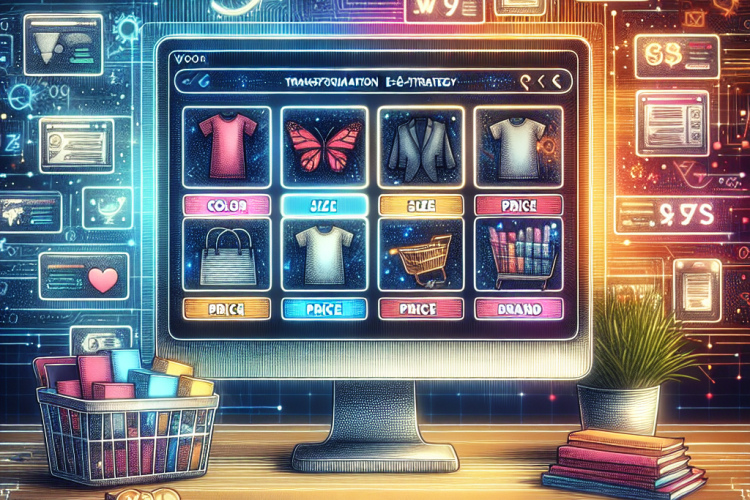
In the rapidly evolving world of e-commerce, businesses continuously seek ways to enhance customer experiences and drive sales. One effective tool that has emerged is WooCommerce product filters. These filters provide an intuitive way for customers to navigate vast product catalogs, ensuring they find exactly what they are looking for quickly.
This article will explore how implementing product filters can transform your e-commerce strategy, improve user experience, increase conversions, and ultimately boost your bottom line.
Understanding WooCommerce and Its Capabilities
WooCommerce is a powerful, open-source e-commerce plugin for WordPress that allows businesses to set up and manage their online stores easily. Its flexibility and range of features make it a popular choice for both small and large businesses.
Key Features of WooCommerce
- User-friendly interface
- Extensive range of plugins and themes
- Secure payment gateways
- Robust inventory management
- Customizable shipping options
The Importance of Product Filters in WooCommerce
Product filters are essential for enhancing the shopping experience on e-commerce websites. Here’s why:
Improved User Experience
Customers visiting an online store often feel overwhelmed by the number of choices available. Product filters allow users to narrow their search based on specific criteria such as:
- Category
- Price range
- Brand
- Size
- Color
- Rating
By enabling users to filter products according to these attributes, you significantly enhance their shopping experience. A well-structured filter system makes it easier for customers to find products that meet their needs, reducing frustration and increasing satisfaction.
Increased Conversion Rates
When users can quickly find what they’re looking for, the likelihood of completing a purchase increases. Research shows that a streamlined browsing experience can lead to higher conversion rates. By implementing effective product filters, you ensure that potential customers spend less time searching, making it more likely they will convert.
Better Insights into Consumer Behavior
The data collected through product filters provides valuable insights into consumer preferences. By analyzing which filters are most commonly used, businesses can better understand customer behavior. This information can guide marketing strategies, inventory management, and product development, allowing for a more targeted approach to sales and promotions.
Types of Product Filters for Your Store
There are various types of product filters you can implement on your WooCommerce store. Understanding their functionalities will help you choose the best options for your business needs.
Category Filters
Category filters allow users to browse products by specific categories or subcategories. This is essential for stores with a diverse range of products, as it simplifies navigation and enables customers to focus on what interests them.
Attribute Filters
Attribute filters help users narrow down products based on specific attributes such as size, color, or model. This is particularly useful in fashion, electronics, and other industries where attributes significantly influence consumer decisions.
Price Filters
Price filters allow customers to set a price range they’re willing to spend. This is an effective way to cater to budget-conscious shoppers and improve their overall shopping experience.
Rating Filters
Rating filters enable customers to view products based on reviews and ratings. This builds trust and helps potential buyers make informed decisions by highlighting products with positive feedback.
Implementing WooCommerce Product Filters
Now that you understand the importance of product filters, it’s crucial to know how to implement them effectively in your WooCommerce store. The following steps provide a comprehensive guide.
1. Choose the Right Plugin
While WooCommerce comes with some built-in filtering options, many plugins can enhance functionality. Some popular options include:
- WooCommerce Product Filter
- YITH WooCommerce Ajax Product Filter
- FacetWP
Evaluate each plugin’s features to find the one best suited for your store’s needs.
2. Configure Filter Settings
Once you’ve selected a plugin, configure the filter settings according to your product attributes and categories. Ensure the filters are user-friendly and intuitive, avoiding overly complicated setups that could confuse customers.
3. Design a Clean Layout
The layout of your filter options should be clean and accessible. Position the filters in a prominent location on your product pages, and don’t overwhelm customers with too many options at once. A simple, organized design enhances usability.
4. Test Functionality
Before launching your filters, test them thoroughly. Make sure they work seamlessly across different devices, including mobile and tablet, and ensure that the filtering process is smooth.
5. Gather Feedback and Adjust
After implementing the filters, gather customer feedback on their usability. Use this information to make necessary adjustments for a better user experience. Continuous improvement is key to providing an excellent shopping experience.
Challenges of Using Product Filters
While product filters offer many benefits, there are also challenges to consider when implementing them in your WooCommerce store. Understanding these challenges can help you prepare and address them effectively.
Over-Simplification
Sometimes, businesses may oversimplify their filtering options, leading to insufficient choices for users. It’s essential to strike a balance between simplicity and functionality to ensure customers have enough options to find their desired products.
Performance Issues
Adding multiple filters can slow down your website’s performance, which may frustrate users. Ensure your site is optimized for speed and performance, especially if you have a large inventory.
Incompatibility with Themes
Depending on your WooCommerce theme, certain plugins may not work well together, leading to potential conflicts. Always test new plugins in a staging environment to prevent disrupting your live website.
Conclusion
Transforming your e-commerce strategy by implementing WooCommerce product filters can significantly enhance customer experience, boost conversion rates, and provide valuable insights into consumer behavior. Filters make navigation easier, allowing users to find the products that suit their needs swiftly. By choosing the right plugins, configuring them thoughtfully, and continually gathering feedback, businesses can create an efficient filtering system that supports their overall goals.
Ultimately, adapting to the needs of your customers and leveraging technology to create a seamless shopping experience will position your e-commerce store for success in an increasingly competitive market.


0 Comments