

Choosing the Right WordPress Hosting for Your Agency
Running a web design or development agency comes with its own set of challenges. When WordPress is your platform of choice, choosing the right hosting provider isn’t just about uptime or page speed. It’s about how well that hosting setup fits your workflow, your team, and your clients.
Agencies don’t need a one-size-fits-all solution. They need reliability, control, scalability, and smart tools that actually save time. This guide breaks down what to look for when picking a WordPress host for client sites, without the fluff or buzzwords.
Why Hosting Matters for Agencies
Bad hosting wastes time. When your team is troubleshooting server issues, fixing plugin conflicts caused by caching layers, or manually restoring backups, you’re not building sites or serving clients.
Good hosting removes those headaches. It gives you a stable base to work from, keeps your sites running smoothly, and handles the maintenance tasks you don’t want to babysit.
The right host becomes part of your workflow. It should make client launches smoother, give you access to performance tools, and offer real support when things go wrong.
Key Features to Look for in WordPress Agency Hosting
1. Multi-Site Management Tools
Agencies need to manage several (or dozens) of sites from one place. Jumping between dashboards or logging in and out of separate accounts wastes time. Good hosts offer a centralized panel to manage updates, backups, staging sites, billing, and more across all your projects.
Look for:
- A unified dashboard for all client sites.
- Bulk updates for themes and plugins.
- Site tagging, notes, or client labels.
- Permission controls for team members.
Relevant hosting options are Hostinger Pro and Bluehost Agencies.
Hostinger Multi-Site Tools
2. Staging Environments
You shouldn’t have to push changes live just to test something. A proper staging site is critical, especially when clients want to preview changes, test new plugins, or approve a redesign.
Check that your host includes the following:
- One-click staging and sync
- Easy cloning and merging to/from live
- Password protection for client previews
Relevant hosting options are Kinsta and WP Engine.

Kinsta Staging Tools
3. Client Access and Collaboration
Agencies work with clients in different ways. Some clients want access to the dashboard, others don’t. Either way, you should be able to control what they can and can’t do.
Look for hosting that lets you:
- Add client logins without sharing yours.
- Limit access to specific tools or sites.
- Transfer billing when needed.
SiteGround and Pressable both offer white-label options that keep your agency in control.
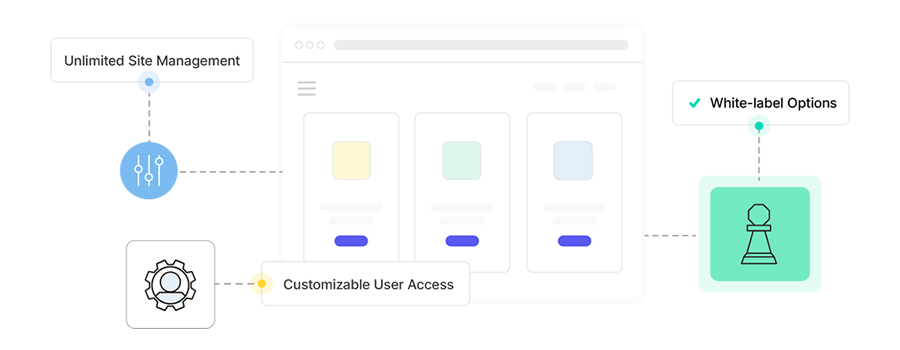
SiteGround White Label Options
4. Reliable Support from WordPress Experts
Support needs to be quick, clear, and handled by people who actually understand WordPress. You don’t want generic replies or scripts. You want help from someone who’s seen the same plugin conflict ten times before and can tell you what’s wrong without needing a back-and-forth.
Look for:
- 24/7 live chat or ticket support.
- WordPress-specific knowledge base.
- Help with performance issues, security, and plugin errors.
Agencies often benefit from a host that offers priority support tiers.
5. Performance and Scalability
Client sites need to load fast. Whether it’s a local bakery or a WooCommerce store pulling in 500,000 visitors, your host has to keep up. Hosting should be optimized for WordPress with built-in caching, CDN access, and a strong uptime record.
Evaluate:
- Global data centers and CDN integration.
- Server-level caching (not plugin-based).
- PHP 8.x and database tuning.
- Traffic and storage limits that match your scale.

Rocket.net Fast WordPress Hosting
6. Backup and Security Options
If something breaks, you need to recover fast. Hosting should include automatic daily backups with quick restore options. Security should be active, not reactive.
Features to expect:
- Malware scanning and firewall.
- DDoS protection.
- One-click backup restoration.
- Two-factor authentication and login protection.
Good examples are SiteGround Security and Kinsta’s daily backups.

SiteGround Security Features
7. Agency Pricing and White Labeling
Agencies often need custom billing, bulk plans, or white-labeled dashboards. Some hosts offer partner programs with discounts, referral revenue, and tools built for client handoff.
Look for:
- Reseller or bulk site pricing.
- Branded control panels for your agency.
- Client billing transfer tools.
Relevant hosting options are the WP Engine Agency Partner Program and Pressable’s Partner Program.
Questions to Ask Before Choosing a Host
- How many sites can you manage from a single dashboard?
- Is staging included or paid extra?
- What’s the average response time for support?
- Can you easily scale up traffic and resources?
- What’s the plugin policy? Any major restrictions?
- How easy is it to hand off billing or access to clients?
- Do you get priority support as an agency?
Some Hosting Providers Worth Exploring
Here’s a mix of hosts that offer tools geared toward agencies:
Final Thoughts
Agencies have a lot to juggle. The right WordPress host can take some of that pressure off by automating the boring stuff, protecting your client sites, and giving your team better tools to work with.
Don’t just choose based on price. Test their dashboard. Talk to support. Look at how easy it is to clone a site, hand off billing, or fix something when a plugin breaks. Pick a host that fits your workflow, not the other way around.
Written by Paul Andrew
Paul is the founder and editor of Speckyboy Design Magazine. He has a passion for UI design, print design, motion design, and graphic design, and loves discovering and sharing new resources and templates.
Read more articles by Paul Andrew.
Frequently Asked Questions
- What is WordPress hosting?
WordPress hosting is a type of web hosting specifically optimized for WordPress sites, offering features such as improved security, speed, and performance. - How do I choose the right WordPress hosting?
Consider factors like performance, scalability, support, and specific features that suit your agency’s workflow. - Is WordPress hosting expensive?
Prices vary widely based on the host and features, but many options cater to different budgets. - Can I migrate my existing site to a new host?
Yes, most providers assist with the migration process to ensure a smooth transition without downtime. - What features should I prioritize in WordPress hosting?
Focus on speed, security, staging environments, and quality support tailored for WordPress.
Top



0 Comments