

Transform Your WordPress Site with Membership Capabilities
Adding membership capabilities to your WordPress website allows you to serve users in a variety of ways better. For example, having a member account can make tasks like adding and replying to comments more straightforward. Site owners can use memberships to keep sensitive content out of public view or even monetize content.
Why Use Membership Plugins on Your WordPress Site?
Membership plugins provide a robust way to cater to your audience’s needs. They can help you manage user access, create member-only content, and even handle payments for premium memberships. Here are some free plugins you can use to bring memberships to your WordPress website. Some cater to niche uses, while others aim to provide a full suite of functionality.
Top Free Membership Plugins for WordPress
User Access Manager
User Access Manager provides an easy way to set permissions on your website’s content. Create a user group based on WordPress Roles & Capabilities and use the handy checkboxes to assign pages, categories, or individual posts to that group. Users and content may also be assigned to more than one group.
Simple Membership
With Simple Membership, you’ll be able to configure unlimited free and paid membership levels. Paid memberships can be set to automatically renew via PayPal and Stripe. Website owners can take fine-grain control by manually approving new members and selecting which content to protect on a per-post basis. Google reCAPTCHA compatibility is there to help cut down on spam registrations.
Members
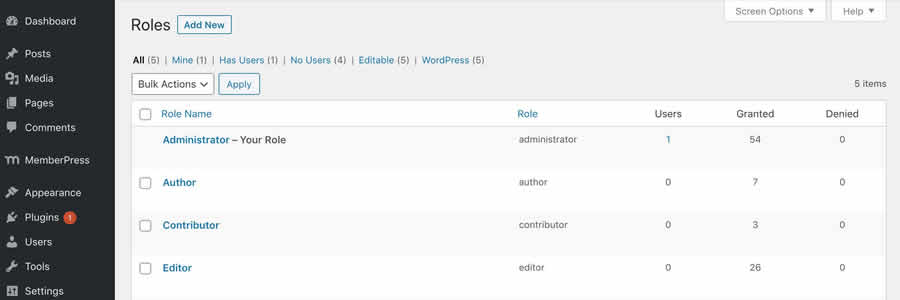
Members is a complete solution for user and content control. You can edit and create new user roles, assign multiple roles to users, and adjust content permissions – all in a slick GUI.
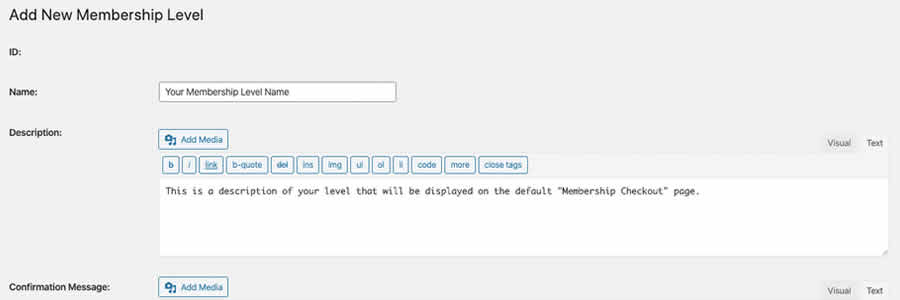
Paid Memberships Pro
Get your WordPress membership site off to a quick start with Paid Memberships Pro. The core plugin offers many ways to wall off your content and create multiple membership levels. You can also extend features by using the available free and premium add-on plugins, covering everything from WooCommerce integration to membership approval.
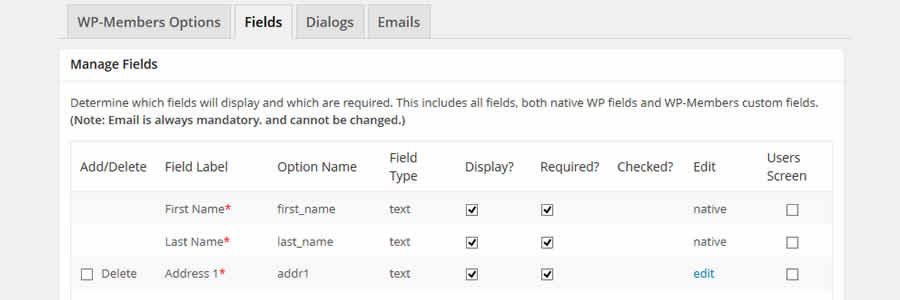
WP Members
WP Members allows users to register, login, and edit their accounts on the front end of your site – keeping them away from your WordPress dashboard. Registrations can be held for admin approval, adding an extra layer of security. The ability to set content permissions is also included.
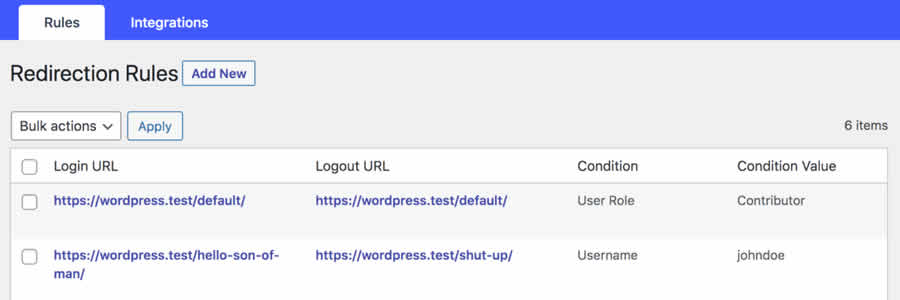
Peter’s Login Redirect
Peter’s Login Redirect lets you create login/logout/registration redirects for users by roles, capabilities, or specific individuals. It’s very handy for those times when you want users to see specific content after performing a member-related action.
Remove Dashboard Access
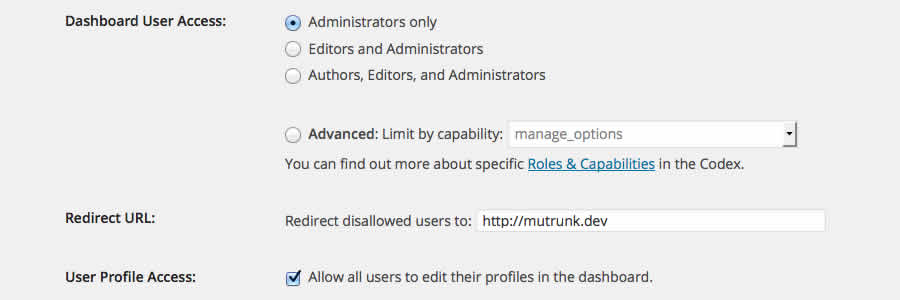
Often, site owners don’t want lower-level users to access the WordPress dashboard. Remove Dashboard Access can be used to redirect users with specific roles or capabilities to another URL and keep them away from the dashboard.
User Submitted Posts
User Submitted Posts allows users to create content on the front end of your site. They can even upload images. Admins can set the status of submitted posts to draft, published, or set to auto-publish after that user has a specific number of previously approved posts.
Membership & Content Restriction
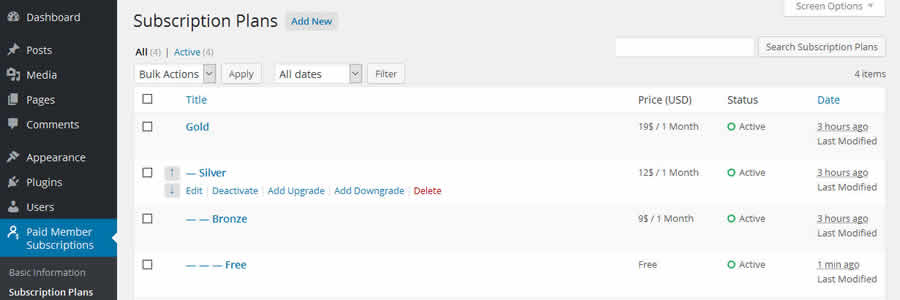
Sell memberships on your site with Membership & Content Restriction. You can create multiple levels of memberships, each with its own pricing. The plugin also includes member management and content restrictions.
Ultimate Member
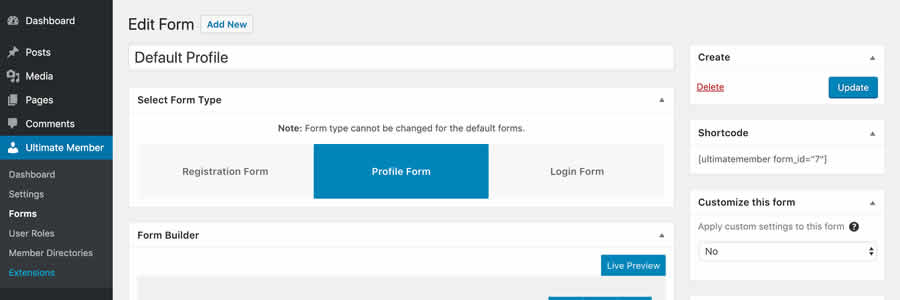
Designed for creating advanced user community sites, Ultimate Member features front-end registration/login/profiles, customizable registration forms, and content restriction. There are several add-ons available to enable WooCommerce integration, private messaging, and more.
Membership WordPress Plugin FAQs
-
What Are WordPress Membership Plugins?
They help you create and manage the membership area on your WordPress site, where you can offer exclusive content or services to registered members.
-
Can I Make Different Membership Levels with These Plugins?
Yes, most of these plugins let you set up various membership levels, each with its own access rules and perks.
-
Are WordPress Membership Plugins Hard to Use?
Most are user-friendly and come with step-by-step guides to help you set up your membership site.
-
Do These Plugins Integrate with Payment Systems?
Yes, most membership plugins support popular payment gateways like PayPal, Stripe, and others, making it easy to handle subscriptions and payments.
-
Will These Membership Plugins Work with My Current WordPress Theme?
Most membership plugins are designed to be compatible with a wide range of themes, but it’s a good idea to test them with your specific theme.
-
How Do I Keep My Members’ Data Safe?
Choose plugins that are regularly updated and follow WordPress security best practices. Regularly back up your site.
Membership has its Benefits
The needs of membership sites can be unique. Each has its own goals, challenges, and desired functionality. Fortunately, there are WordPress plugins available for just about every type of membership site imaginable.
Conclusion
Integrating membership capabilities into your WordPress site can enhance user experience, protect sensitive content, and provide monetization options. With various plugins available, you can tailor your membership functionality to meet your unique needs. Whether you’re a budding blogger or a seasoned site owner, these tools can help you take your site to the next level.
Written by Eric Karkovack
Eric Karkovack is a web designer and WordPress expert with over two decades of experience. You can visit his business site here. He recently started a writing service for WordPress products: WP Product Writeup. He also has an opinion on just about every subject. You can follow his rants on Bluesky @karks.com.
Read more articles by Eric Karkovack
Top



0 Comments