

Efficient WordPress Media Cleanup with WP Media Cleanup
Ever wondered why your wordpress site takes up so much disk space?
Often, it’s because your wordpress site is quietly hoarding thousands of image files you’ve NEVER actually used.
Every time you upload a single image, wordpress automatically creates 5-10 different size variations, like thumbnails, medium, large, and custom theme sizes. Most of these variations never appear anywhere on your site. Not once.
Why WP Media Cleanup?
If you’ve ever tried to clean up your wordpress media library manually, then you already know how frustrating the experience can be.
Get a Complete Picture of Your Unused Files
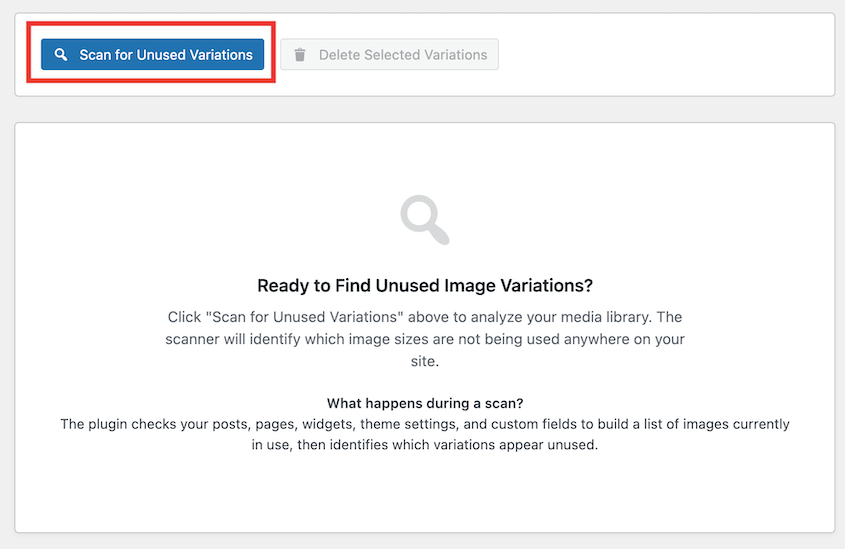
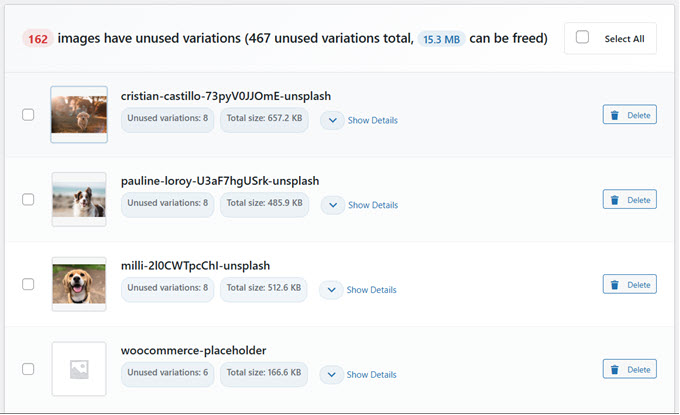
The result? A clear, detailed report that tells you precisely which files are safe to delete.
Clean Up Your Media Library Without Fear
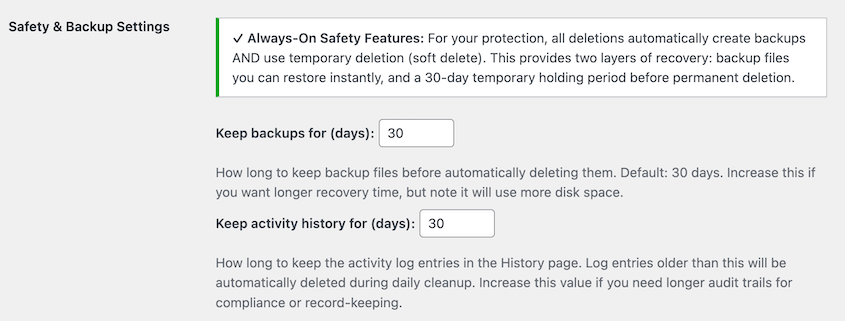
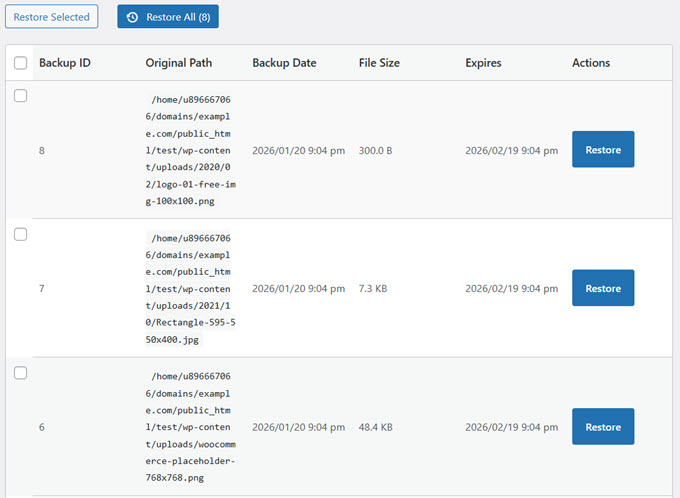
Delete Now, Restore Later If You Need To
Automate Cleanup Across Multiple Sites with WP-CLI
# Find and review unused variations
wp media-cleanup find_unused --format=table

# Delete them with confirmation
wp media-cleanup delete_unused --yes

# Check statistics
wp media-cleanup stats
Built by the Team Behind Duplicator
WP Media Cleanup is built by the same team behind Duplicator, the WordPress backup and migration plugin trusted by over 1,500,000 professionals for protecting and moving their WordPress sites.
Reclaim Disk Space and Reduce Hosting Costs
Whether you’re running a blog, an online store, or a business website, WP Media Cleanup helps you avoid hitting storage limits, reduce your hosting costs, and keep your site running efficiently without the bloat. For agencies managing client sites, those savings multiply across your entire portfolio.
Conclusion: Simplify Media Management
WP Media Cleanup streamlines your wordpress site’s media management, ensuring that your storage is used efficiently. By identifying and removing unused media files, you can enjoy faster backups, easier migrations, and cost savings. Whether you manage one site or many, this tool provides an invaluable resource for keeping your WordPress experience seamless and efficient.
Frequently Asked Questions
1. How does WP Media Cleanup work?
WP Media Cleanup scans your wordpress site to identify unused media files, helping you safely remove them and reclaim disk space.
2. Is the process of deleting files reversible?
Yes, deleted files are backed up in a temporary location for 30 days, allowing easy restoration if needed.
3. Can I automate the cleanup process?
Yes, WP Media Cleanup integrates with WP-CLI, enabling automated tasks for efficient management across multiple sites.
4. Does WP Media Cleanup protect original images?
Absolutely. The tool targets only automatically generated image variations, leaving your original files intact.
5. What makes WP Media Cleanup different from other plugins?
Built by the team behind Duplicator, WP Media Cleanup offers a reliable, safe, and feature-rich solution trusted by over 1,500,000 professionals.



0 Comments