
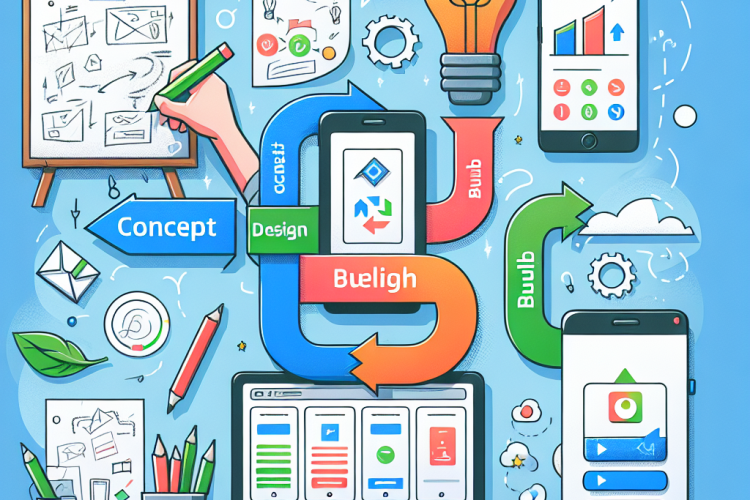
In the digital age, mobile applications have become a crucial component of business strategy, personal productivity, and entertainment. With so many app builders available, choosing the right one can be overwhelming. This guide walks you through the process of selecting the right app builder, from conceptualization to launch, ensuring your app meets your needs effectively.
Before diving into app builders, it’s crucial to understand the specific requirements for your app. Ask yourself the following questions:
-
What is the purpose of your app?
Define the primary function or service your app will provide. Whether it’s a utility app, a game, or a social networking platform, clarity on this will help guide the development process. -
Who is your target audience?
Identifying the demographics, location, and behaviors of your potential users will influence the design and functionality of your app. -
What are your must-have features?
List the essential features your app needs. This list will help you determine which app builder can support your requirements. -
What is your budget?
Determine how much you are willing to invest. App development costs can vary significantly based on features, complexity, and the builder you choose.
App builders can be categorized into different types based on the user’s needs and technical expertise. Here’s a breakdown:
-
No-Code Platforms:
Perfect for beginners or those with no programming experience. They provide drag-and-drop functionality with pre-built templates. Examples include Adalo and AppSheet. -
Low-Code Platforms:
Ideal for users with some technical experience. They offer customization through simple coding and scripting. Mendix and OutSystems are popular choices. -
Custom App Builders:
These are highly flexible and robust, designed for experienced developers. They provide complete control over the development process but require significant technical knowledge. Examples are Android Studio and Xcode for iOS.
When evaluating app builders, consider the following criteria:
-
Ease of Use:
The platform should have an intuitive interface that allows for smooth navigation and use. Tutorial support and a strong community can enhance usability. -
Customization Options:
Evaluate the level of customizability each platform offers. This includes themes, design elements, and feature integration. A good app builder provides you the freedom to tailor your app to your specific vision. -
Third-party Integrations:
The ability to connect with third-party services and APIs can enhance your app’s functionality. Review the integration capabilities with popular platforms such as social media, analytics, and payment gateways. -
Scalability:
As your user base grows, your app should scale seamlessly. Check for performance metrics and understand how the app builder supports scaling. -
User Support and Community:
Evaluate the quality of customer support and the community around the app builder. A responsive support team and an active community can be lifesavers during technical challenges. -
Cost and Pricing Plans:
Review the pricing structure—whether it’s a one-time fee, monthly subscription, or pay-as-you-go. Ensure the pricing aligns with your budget, including potential future costs as the app grows. -
Performance and Speed:
Your app’s speed and performance are critical for user retention. Test existing apps built on the platform for responsiveness and reliability.
Once you’ve selected an app builder, follow these steps to ensure a smooth transition from concept to launch:
-
Sketch and Wireframe:
Start by sketching your app’s user interface and creating a wireframe. Tools like Balsamiq and Sketch can help in visualizing the app layout. -
MVP Development:
Develop a Minimum Viable Product (MVP) focusing on core functionalities. This iterative approach allows for testing and feedback collection before full-scale development. -
Design and Branding:
Ensure your app’s design aligns with your brand. Focus on consistent color schemes, fonts, and imagery that reflect your brand identity. -
Testing:
Conduct thorough testing of your app for bugs, usability issues, and performance metrics. Beta testing with real users provides invaluable feedback. -
Feedback Iteration:
Incorporate feedback from testing phases to refine your app. Continuous feedback loops post-launch can also drive improvements. -
Launch and Marketing:
Plan the app launch with a marketing strategy. Utilize social media, press releases, and app store optimization techniques to maximize visibility and downloads.
After launch, ongoing monitoring and maintenance are crucial for success:
-
Analytics:
Use analytics tools to track user engagement, app performance, and areas needing improvement. -
User Feedback:
Continually gather and assess user feedback to inform updates and new features. -
Updates and Performance Improvements:
Regular updates keep your app secure, improve performance, and delight users with new features. -
Scaling and Expansion:
As your app grows, plan for scaling its infrastructure and consider expanding features based on user demand and market trends.
Choosing the right app builder is a pivotal decision in the app development process. By understanding your requirements, evaluating your options carefully, and following a structured development process, you can ensure the successful launch of an app that meets your needs and delights your users. Remember, the journey doesn’t end at launch—ongoing maintenance and adaptation are key to sustaining success in the competitive app market.



0 Comments